
Introduction: The Evolution of Professional Writing
Remember when “good writing” just meant no typos? Those days are gone. In the 2026 digital economy, your writing is your brand. Whether it’s a Slack message, a legal brief, or a marketing blog, how you sound determines how people react to you.
The 2026 version of Grammarly isn’t just looking for misplaced commas. It’s analyzing your strategic intent. It wants to know: Are you being too aggressive in this email? Is your resume sounding too passive? Is this essay original enough to pass an AI-detection scan?.
In this review, we’ll look at the new Grammarly “Pro” features, the improved Generative AI integration, and why it remains the most vital tool in my creative stack.
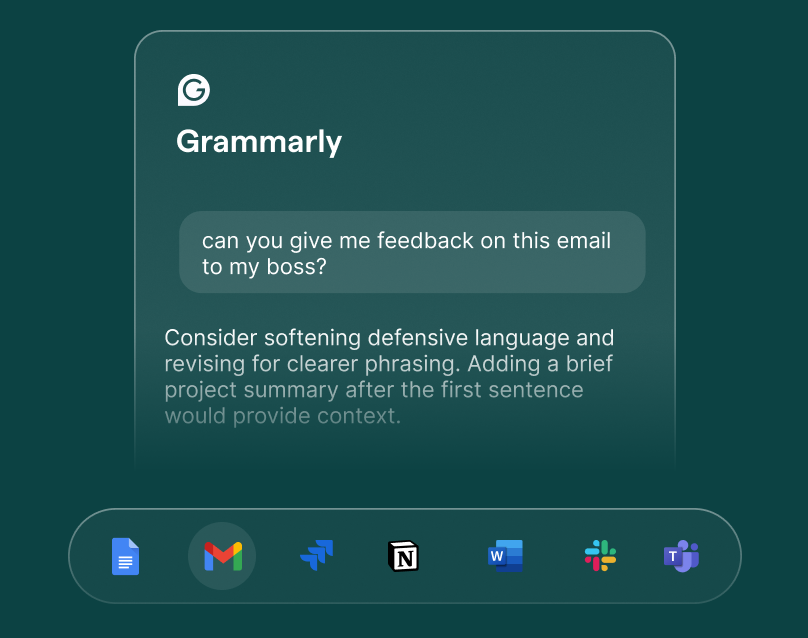
I. The “Brain” of 2026: Advanced AI & Strategic Feedback
The biggest update this year is Grammarly Strategic Suggestions. This goes beyond “clarity” and enters the realm of “influence.”
1.1 Tone Transformation
We’ve all sent an email that was misinterpreted. In 2026, Grammarly’s tone detector has become frighteningly accurate. It doesn’t just tell you that you sound “formal”; it provides a Tone Map showing how your audience (e.g., a CEO vs. a Peer) will likely perceive your message.
- The “Confidence” Fix: It identifies “hedging” language—words like just, actually, and I think—and suggests rewrites that make you sound more authoritative.
1.2 Whole-Sentence Rewrites
This is the feature that saves me hours of editing. If a sentence is structurally sound but “clunky,” Grammarly Pro offers a one-click rewrite.
- Human-in-the-Loop: Unlike pure AI generators (which often sound robotic), these rewrites are designed to maintain your specific voice while increasing readability scores.
II. Grammarly GO: The Generative AI Assistant
In 2026, Grammarly GO has evolved from a simple chatbot to an integrated Writing Agent.
2.1 Overcoming the “Blank Page”
I use Grammarly GO to draft outlines directly within my workflow (Google Docs, Notion, or Gmail). You can give it a prompt like, “Outline a 1,000-word review of a fintech app,” and it will build the structure based on your historical writing style.
2.2 Contextual Rewriting
The “Sparks” feature allows you to highlight a paragraph and ask the AI to “Make this more persuasive” or “Add a touch of humor.” It feels less like a tool and more like an assistant editor sitting next to you.
III. Security & Originality: The Plagiarism & AI Detector
With the internet drowning in synthetic text, Originality is the new premium.
3.1 The 2026 Plagiarism Engine
Grammarly’s plagiarism checker now cross-references billions of web pages and academic databases like ProQuest. For students and researchers, this is a non-negotiable feature to ensure academic integrity.
3.2 AI-Detection Awareness
New for this year is a feature that flags if your writing sounds too much like an AI. It helps you “humanize” your prose by suggesting varied sentence lengths and unique vocabulary, ensuring you bypass the “robotic” filters used by SEO engines and professors.
IV. Grammarly vs. The Competition (2026 Edition)
| Feature | Grammarly Pro | ProWritingAid | Hemingway Editor | ChatGPT-5 |
| Best For | Daily Professionalism | Long-form Authors | Pure Readability | Raw Generation |
| Integration | Everywhere (App/Web/OS) | Desktop/Word | Web Only | Copy-Paste |
| Tone Detection | Advanced/AI-Driven | Basic | None | Variable |
| Real-time Checks | Yes | Yes | Yes | No |
| Pricing | $12/mo (Annual) | $10/mo | $20 (One-time) | $20/mo |
Why Grammarly Still Wins on “Integration”
The reason I stick with Grammarly is that it lives where I write. Whether I’m in Figma, Slack, Notion, or a LinkedIn comment, the “G” logo is there. Other tools require you to copy-paste your text into their editor, which breaks your flow. In 2026, Frictionless Editing is the only thing that matters.
V. The “Creative Premium”: Does It Kill Your Voice?
A common criticism is that Grammarly makes everyone sound the same. In 2026, the shaper “Style Guides” fix this.
5.1 Personalized Style Guides
You can now set “Voice Profiles.”
- Profile A: Academic, formal, no contractions.
- Profile B: Tech-blog, witty, casual, uses emojis.Grammarly will then tailor its suggestions based on the profile you’ve selected. It no longer tries to make you “perfect”; it tries to make you consistent.
VI. The Financials: Is the $12/Month Worth It?
Let’s break down the ROI (Return on Investment) for a typical user:
- For Professionals: If Grammarly saves you from just one embarrassing typo in a client proposal, it has paid for itself for the year.
- For Students: The time saved on citations and plagiarism checks alone is worth the price of a few coffees a month.
- For Non-Native Speakers: It is, quite simply, the best “Language Coach” on the planet.
VII. Summary: The Pros and Cons
Pros:
- Ubiquity: Works on Windows, Mac, iOS, Android, and every browser.
- Accuracy: The lowest “false-positive” rate in the industry.
- Tone Intelligence: Helps you navigate complex office politics via email.
- Education: It doesn’t just fix the error; it explains why it was wrong, making you a better writer over time.
Cons:
- Subscription Model: There is no “lifetime” purchase option.
- Internet Dependency: Most advanced AI features require a live connection.
- Style Rigidity: Occasionally, it still hates the “Passive Voice,” even when the passive voice is stylistically better.
VIII. Conclusion: The Final Verdict
In 2026, the question isn’t whether you should use an AI writing assistant—it’s which one you should trust. While many tools can generate text, Grammarly is the only one that truly helps you improve as a writer while protecting your unique human voice.
It is the bridge between raw AI power and human creativity. If your career involves hitting “Send” on a keyboard, you shouldn’t be doing it without Grammarly.